U.S. flag An official website of the United States government
Dot gov
Https

Accommodations

Filter Results

Clear

Clear

Clear

Clear

Low Vision Computer Software

Low vision computer software assists individuals with vision limitations by enlarging text and graphics and offering features like text-to-speech, color contrast modes, and customizable screen elements.
1-15 of 15 Results

SuperNova Magnifier

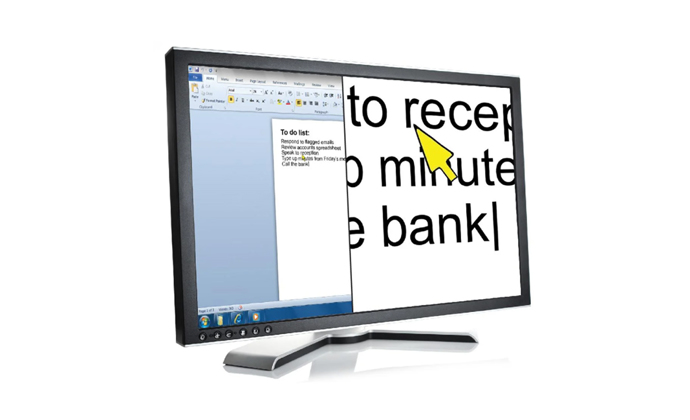
The SuperNova Access Suite is screen magnification software. This software provides the individual with 28 magnification levels ranging from 1.2 times to 60 times. The SuperNova software also features speech options that speak text and echo user actions. The SuperNova software may be customized to fit the individual's visual and speech needs. SuperNova features 24 color schemes, as well as the option to create a custom color scheme, to reduce glare and adjust brightness, contrast, and color tint. Visual Highlighting provides visibility markers in order to keep track of the mouse and cursor on the screen. The Dolphin Cursor allows the individual to control the mouse from the keyboard and track an individual's location on menus, dialogs or headings. SuperNova also features 8 Magnifier Views (Full Screen, Fixed Window, Split Screen, Magnifying Glass, and Resizing Glass). SuperNova also features customizable text-to-speech capabilities. SuperNova's Character Echo Options allows an individual to choose how much information is announced. The Verbosity option, which controls the amount of information that is announced when navigating to different controls, may be set at one of four levels (minimum, low, medium, high). The “Read From Here" features allows SuperNova to read large amounts of text without the individual having to move the cursor. In addition to low vision individuals, SuperNova Access Suite may also be utilized blind individuals, as it includes a full screen reader that provides Braille support. Individuals who are blind or have low vision and are required to use the computer to complete essential job functions may benefit from using this software.

Magnification
View Cart

SuperNova Magnifier & Screen Reader

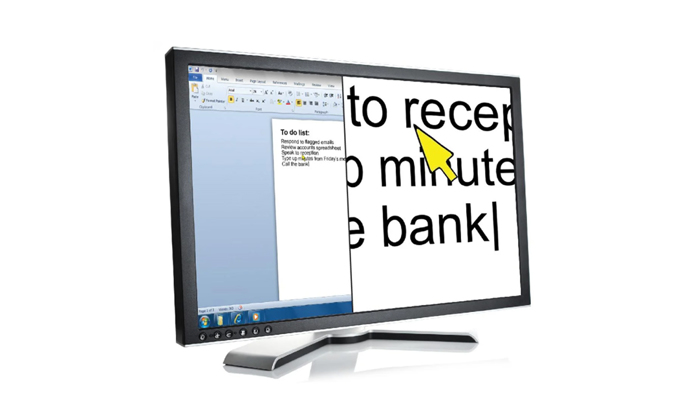
The SuperNova Access Suite is screen magnification software. This software provides the individual with 28 magnification levels ranging from 1.2 times to 60 times. The SuperNova software also features speech options that speak text and echo user actions. The SuperNova software may be customized to fit the individual's visual and speech needs. SuperNova features 24 color schemes, as well as the option to create a custom color scheme, to reduce glare and adjust brightness, contrast, and color tint. Visual Highlighting provides visibility markers in order to keep track of the mouse and cursor on the screen. The Dolphin Cursor allows the individual to control the mouse from the keyboard and track an individual's location on menus, dialogs or headings. SuperNova also features 8 Magnifier Views (Full Screen, Fixed Window, Split Screen, Magnifying Glass, and Resizing Glass). SuperNova also features customizable text-to-speech capabilities. SuperNova's Character Echo Options allows an individual to choose how much information is announced. The Verbosity option, which controls the amount of information that is announced when navigating to different controls, may be set at one of four levels (minimum, low, medium, high). The “Read From Here" features allows SuperNova to read large amounts of text without the individual having to move the cursor. In addition to low vision individuals, SuperNova Access Suite may also be utilized blind individuals, as it includes a full screen reader that provides Braille support. Individuals who are blind or have low vision and are required to use the computer to complete essential job functions may benefit from using this software.

Magnification
View Cart

SuperNova Magnifier & Speech

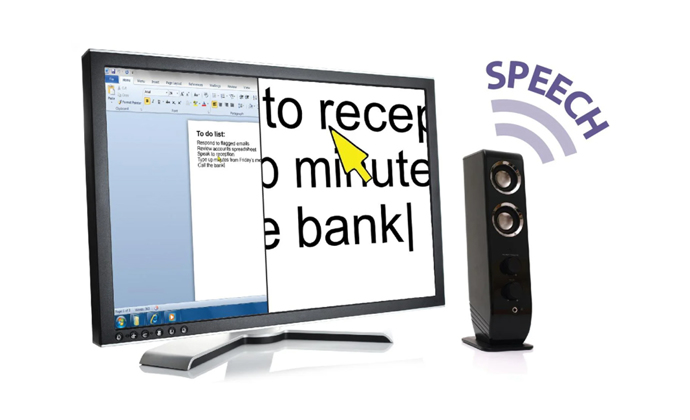
The SuperNova Access Suite is screen magnification software. This software provides the individual with 28 magnification levels ranging from 1.2 times to 60 times. The SuperNova software also features speech options that speak text and echo user actions. The SuperNova software may be customized to fit the individual's visual and speech needs. SuperNova features 24 color schemes, as well as the option to create a custom color scheme, to reduce glare and adjust brightness, contrast, and color tint. Visual Highlighting provides visibility markers in order to keep track of the mouse and cursor on the screen. The Dolphin Cursor allows the individual to control the mouse from the keyboard and track an individual's location on menus, dialogs or headings. SuperNova also features 8 Magnifier Views (Full Screen, Fixed Window, Split Screen, Magnifying Glass, and Resizing Glass). SuperNova also features customizable text-to-speech capabilities. SuperNova's Character Echo Options allows an individual to choose how much information is announced. The Verbosity option, which controls the amount of information that is announced when navigating to different controls, may be set at one of four levels (minimum, low, medium, high). The “Read From Here" features allows SuperNova to read large amounts of text without the individual having to move the cursor. In addition to low vision individuals, SuperNova Access Suite may also be utilized blind individuals, as it includes a full screen reader that provides Braille support. Individuals who are blind or have low vision and are required to use the computer to complete essential job functions may benefit from using this software.

Magnification
View Cart